.png&w=640&q=75)
TimeSheet Tracker
Every hour accounted for, without the spreadsheet.
Record working hours, plan the day and track effort against every project and task — with a live timer, three views of the same data and exportable reports.
What it is
Every hour accounted for, without the spreadsheet
TimeSheet Tracker is the web application we use across VIPAS to record working hours, plan daily work and track progress against assigned projects and tasks. Log time after the fact or run a live timer while you work — then pull a report your project manager can act on.
- Three views of the same hours — calendar, list and graph, switchable in one click.
- Record Activity timer — start it when you begin, stop when you finish, the time logs itself.
- Reports you can shape — eleven columns, filters, sorting and one-click export.
- Approval built in — managers review and approve hours, so month-end is not a reconstruction exercise.
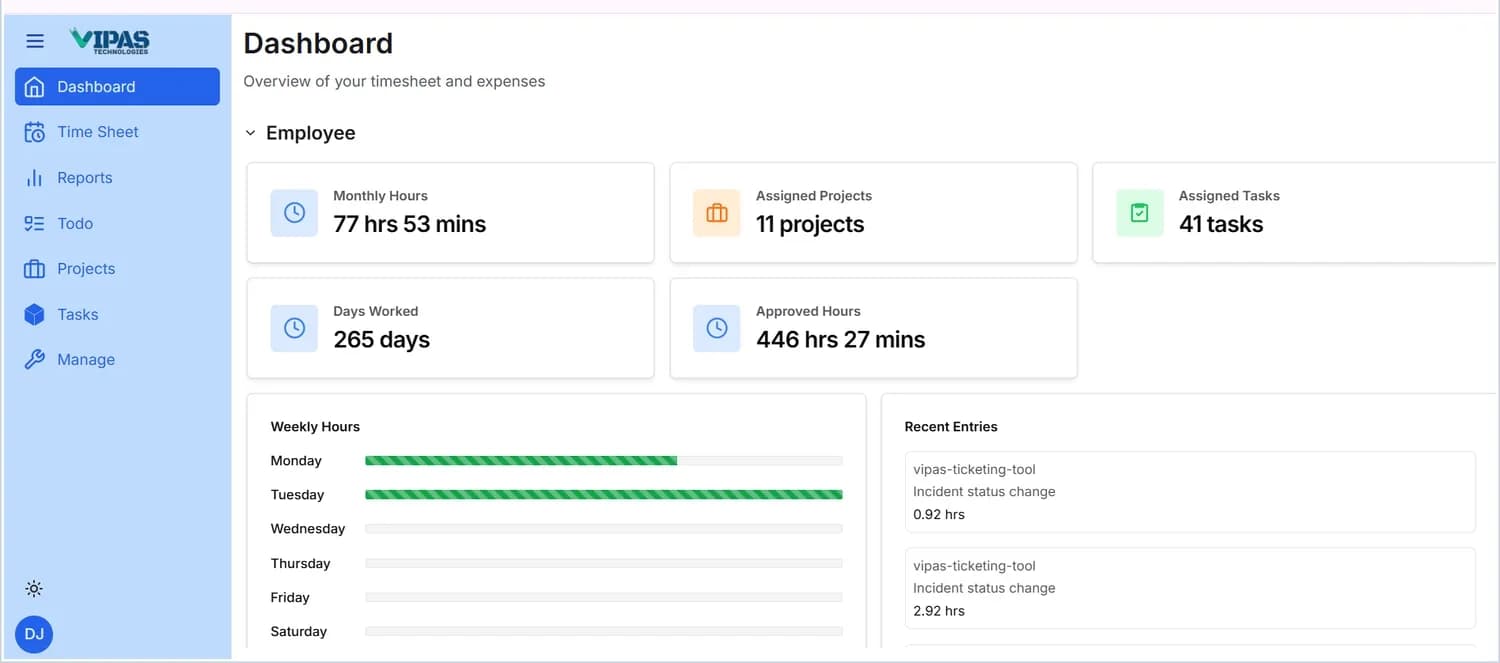
What the dashboard tells you
Five cards across the top, refreshed as you log.
One dataset, three lenses
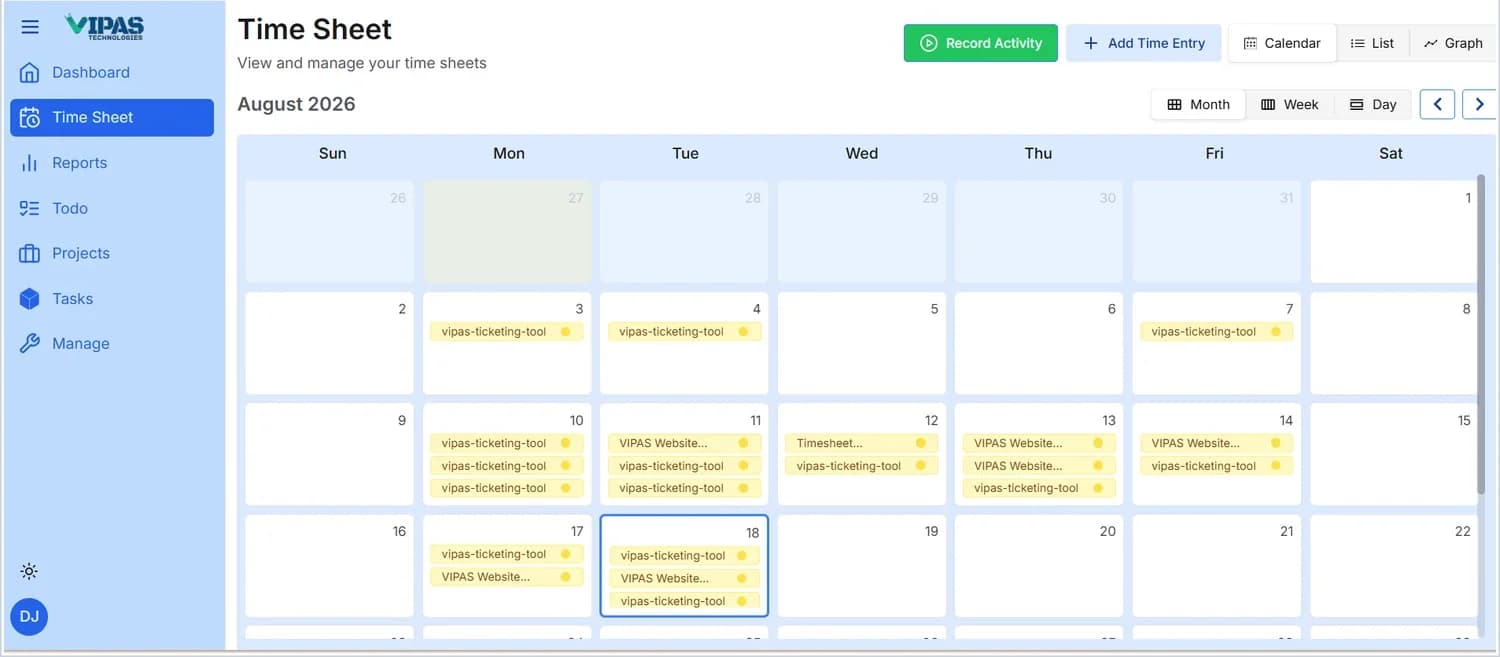
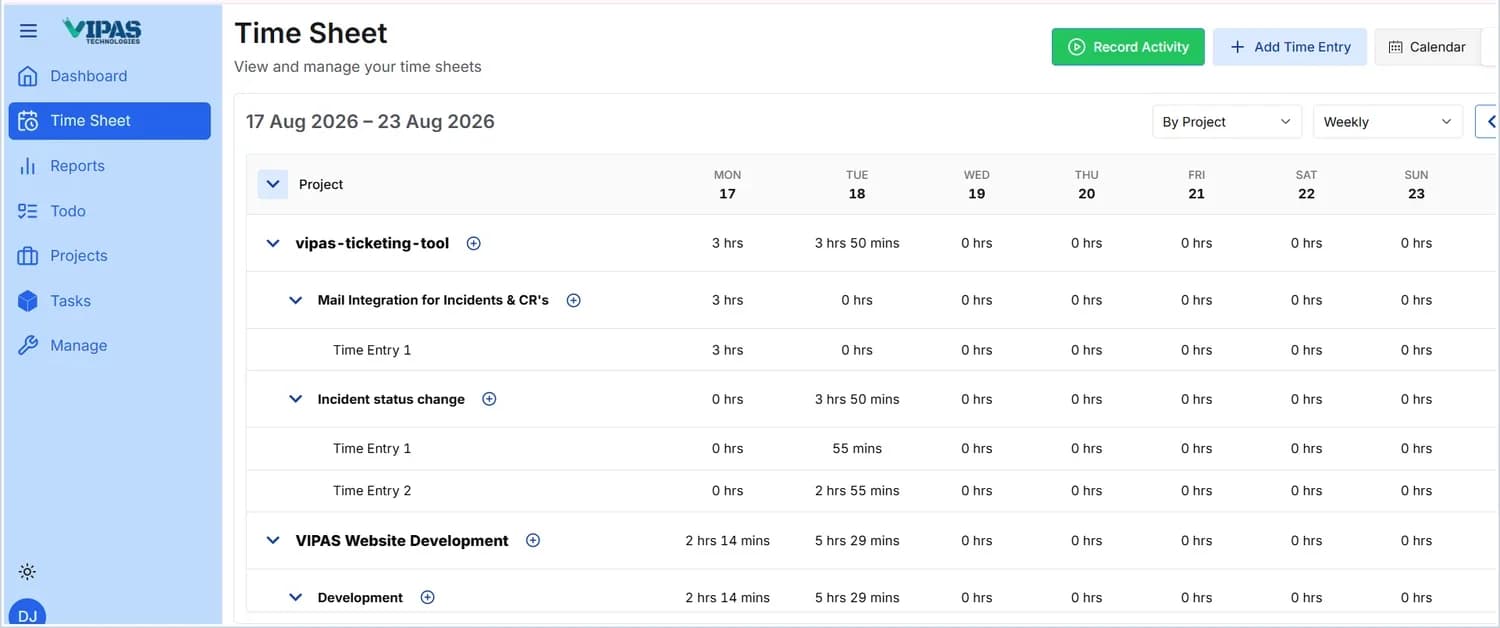
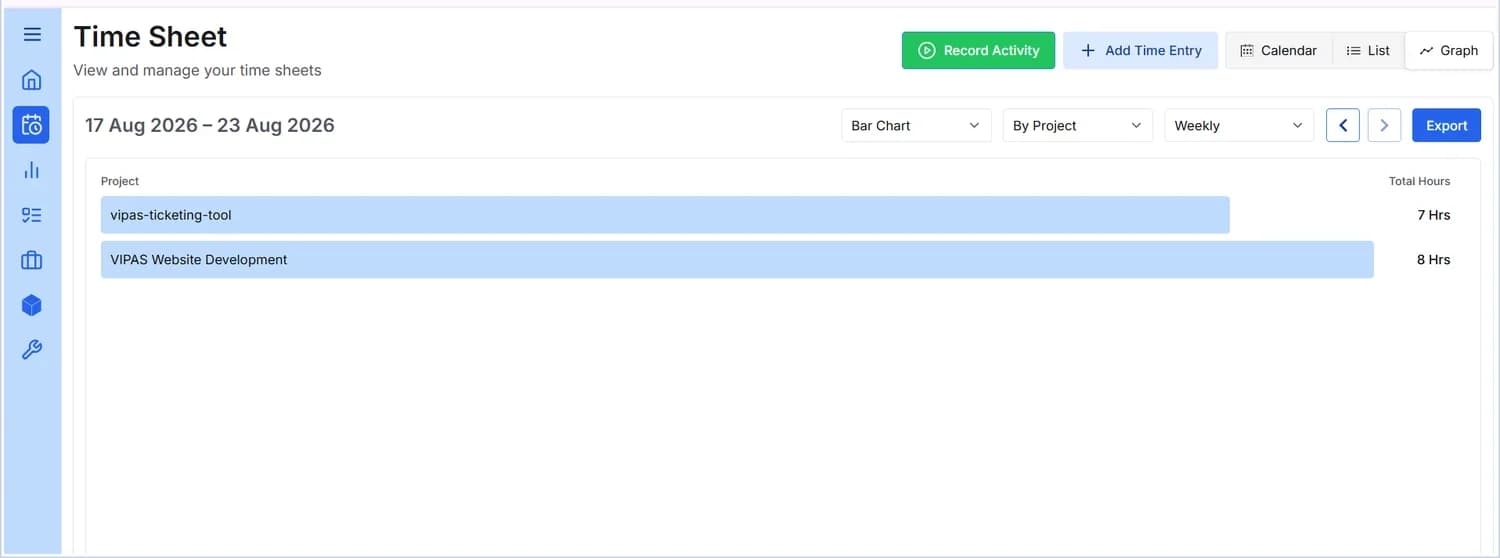
Three ways to see the same hours
The Month / Week / Day selector controls the period; the arrows step through it.
Inside the application
Seven areas, one sidebar
Time Sheet
Add a time entry against a project and task with a date, hours and description — or hit Record Activity and let the timer do it. Entries appear instantly in all three views.
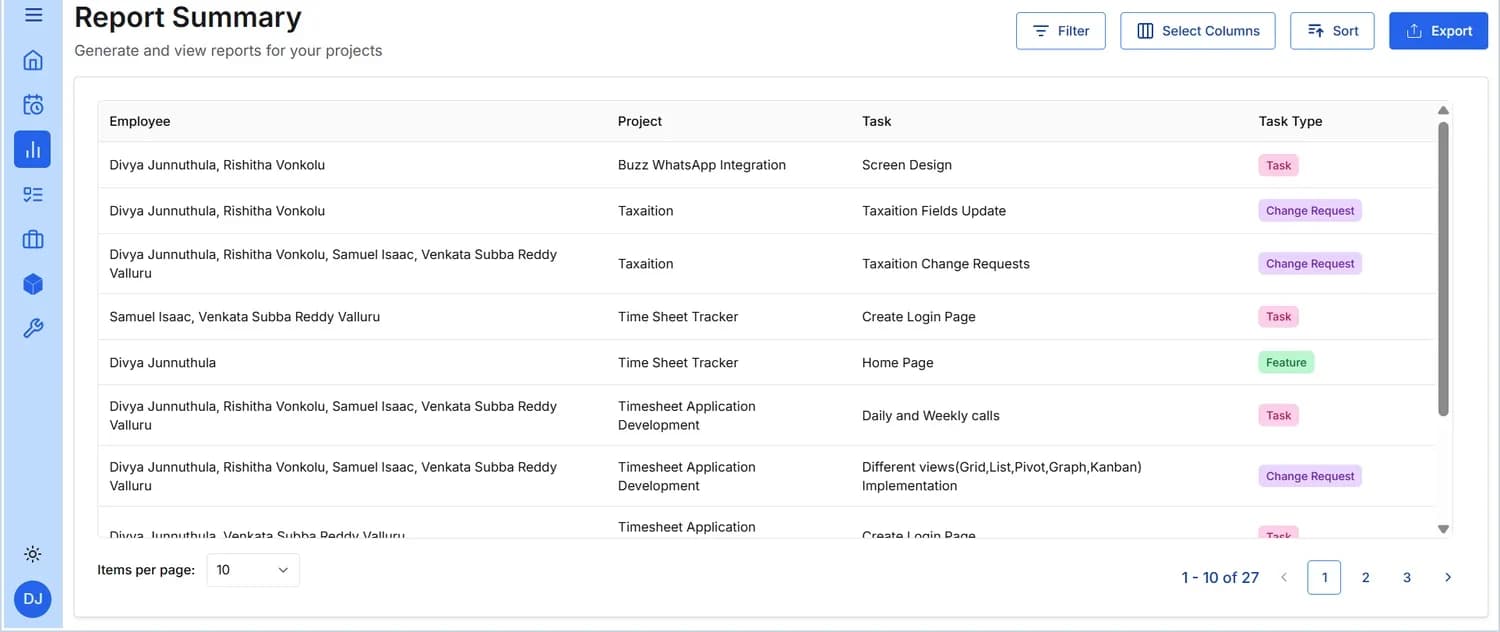
Reports
A detailed summary across employees, projects and tasks. Choose from Employee, Project, Task, Task Type, Domain, Status, Manager, Allocated Hours, Logged Hours, Start Date and End Date — then filter, sort and export.
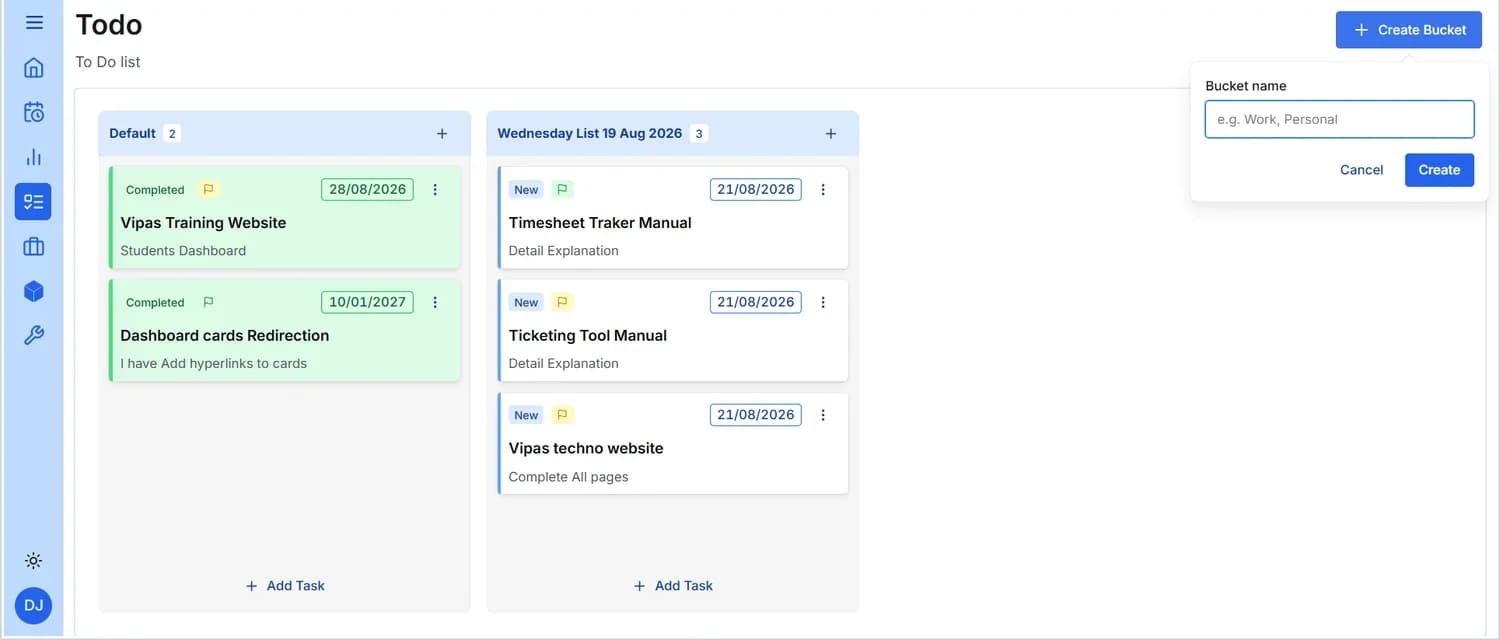
Todo
A personal planning board organised into buckets. Set a title, description, priority and due date; tick a card to complete it, or reopen it with a click.
Projects
Every project you are assigned to, with its status, type, member count and manager. Sort, filter and open any project for full details.
Tasks
The individual pieces of work behind each project, in a List table or a Kanban board grouped by status. Add one task or bulk-create many.
Manage & Profile
Your personal details and addresses, profile photo, notifications and self-service password change.
Roles matter. The screens above are the Employee role. Managers and administrators have additional screens, including review and approval of logged hours — walk through those on a demo.